

Imagine you’re in the middle of an email conversation with a client or vendor. You’ve gone back and forth a few times—nothing unusual. Then, out of nowhere, someone replies in the thread with a link, an attachment, or an urgent request.
You trust it because it’s part of an existing conversation. It looks like it’s from someone you know. And that’s exactly why email thread hijacking works so well.
This isn’t your average phishing scam. With email thread hijacking, attackers insert themselves into real email conversations—often after compromising someone’s inbox. The result is a scam that feels personal, timely, and nearly impossible to spot if you’re not paying close attention.
Let’s break down what email thread hijacking is, how it works, and what you can do to protect your business.
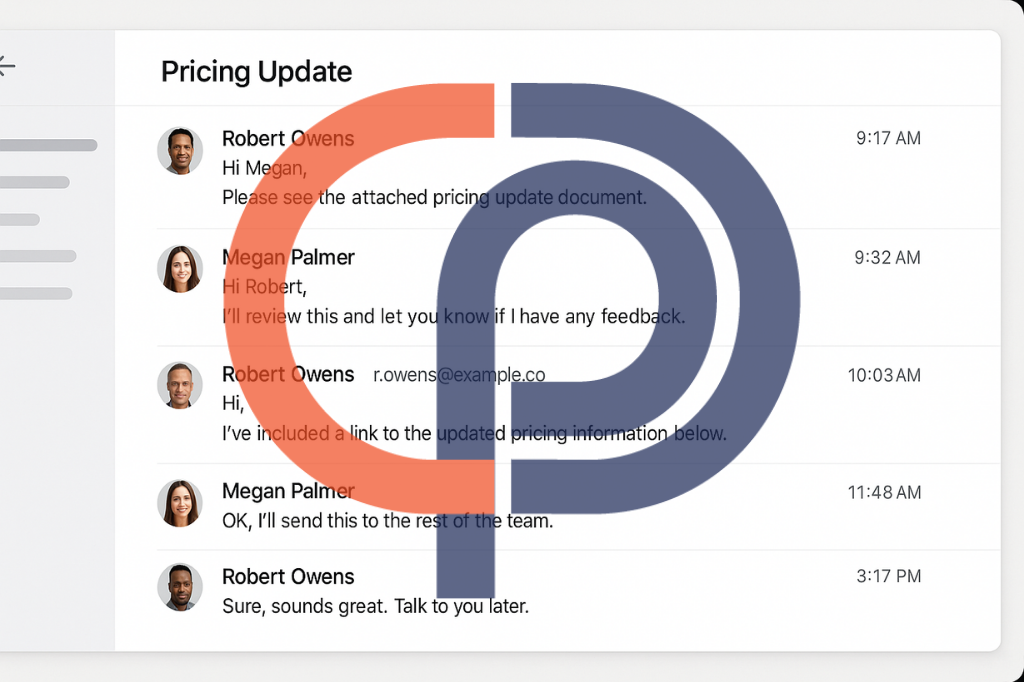
Learn how email thread hijacking works and how to spot the red flags.
What Is Email Thread Hijacking?
Email thread hijacking is a cyberattack technique where a hacker gains access to a legitimate email account and uses it to reply to existing conversations. Because the thread is real and the context feels familiar, the recipient is far more likely to trust the message—even if something feels a little off.
Attackers often use hijacked threads to:
-
Send malicious attachments
-
Insert links to phishing websites
-
Request wire transfers or credential updates
-
Deliver malware via PDF or Excel files
These messages typically carry the original thread’s subject, content, and tone—making them seem completely authentic.
💡 Did You Know?
Hackers using email thread hijacking see response rates as high as 80%, because the message arrives within a conversation the recipient already trusts.
How Thread Hijacking Works
Here’s a simplified version of how attackers pull it off:
-
Gain access to a legitimate email account, usually through stolen credentials or previous phishing attacks.
-
Monitor ongoing conversations within the inbox to find high-value targets—often financial, legal, or executive discussions.
-
Reply to an existing thread, often attaching a malicious file or inserting a phishing link.
-
Use the trust already built in the conversation to convince the recipient to act—click, download, or send sensitive information.
Because the attacker is replying within a thread, the recipient doesn’t usually question the context. There’s no unfamiliar name, no unexpected subject line—just one wrong link in an otherwise normal exchange.
Why Email Thread Hijacking Is So Dangerous
The scariest part about email thread hijacking is how invisible it can be. The messages don’t look like spam. They don’t use generic greetings. They don’t come from unfamiliar addresses. Instead, they’re embedded in conversations you’re already having.
That makes them incredibly effective, especially in industries like finance, law, construction, and real estate—where email-based coordination is constant and often high-stakes.
Because the message appears to come from a trusted source, employees may bypass their usual caution. And even if your company has strong security, all it takes is one compromised inbox—at your company, a vendor, or a client—for the attacker to get in.
💡 Did You Know?
In 2023, Microsoft reported that email thread hijacking was used in over 25% of BEC (Business Email Compromise) incidents—especially when attackers had access to vendor or partner email accounts.
Real-World Example
Your accounting manager receives a reply in an ongoing conversation with a vendor about payment terms. The message includes an updated invoice as a PDF attachment, along with a note:
“Hi again—just wanted to resend this with the correct banking info. Let me know once it’s scheduled.”
The PDF includes new payment instructions. Because it’s coming from a known contact in a real thread, your team assumes it’s legitimate.
But the message wasn’t from the vendor—it was from a hacker who compromised their email account. Your company wires $27,000 to a fraudulent account. And by the time you realize the mistake, the money is gone.
How to Recognize a Hijacked Thread
Even though these messages look legitimate, there are still subtle red flags. Teach your team to watch for:
-
Sudden changes in tone or urgency that don’t match earlier replies
-
Messages that arrive at unusual times (e.g., 2 a.m. from someone who usually emails at 9 a.m.)
-
Requests for payment changes, credentials, or unusual attachments
-
Slight formatting differences or missing signature blocks
-
File types that seem unusual for the context (e.g., an .iso or .html file in a finance thread)
And most importantly: verify changes to payments, access credentials, or file requests using another communication channel—like a phone call or text.
How PCC Can Help
At Professional Computer Concepts, we help businesses spot subtle threats like email thread hijacking before they turn into major losses. Our layered cybersecurity approach includes:
-
Phishing simulations that mimic real thread hijacking tactics
-
24/7 threat detection with Managed Detection & Response (MDR)
-
Endpoint protection that flags malicious files—even when they come from “trusted” sources
-
Security awareness training that helps employees spot red flags in familiar places
When attackers are using trust against you, we make sure your people know what to look for—and your systems are ready if they miss it.
Want to Learn More?
If you want to deepen your phishing awareness—or train your team to spot the most deceptive tactics—check out these helpful resources:
- How to Spot a Phishing Email: 10 Red Flags to Watch For
- Real Phishing Examples: Recognize Email Scams Before You Click
- Ultimate Guide to Phishing + Quiz
- Lookalike Domains: How Hackers Trick the Eye
- The Danger Behind Display Names: Email Spoofing Explained
- Attachment Red Flags: When Not to Open That PDF
- How to Prevent Phishing Attacks
- Phishing: What You Need to Know
- Phishing 2.0: The Rise of AI-Driven Attacks – Defend Yourself Now
- Phishing vs. Spear Phishing vs. BEC: Know the Difference
Final Thoughts
Email thread hijacking isn’t loud or flashy. It doesn’t need to be. It slips into your inbox disguised as trust—and waits for the moment you stop questioning the message.
That’s what makes it dangerous. But that’s also what makes it preventable.
By building awareness, verifying requests, and putting the right tools in place, your business can spot hijacked threads before they lead to financial loss, reputational damage, or a wider breach.
Let’s talk about protecting your inbox—before someone else replies to it for you.