
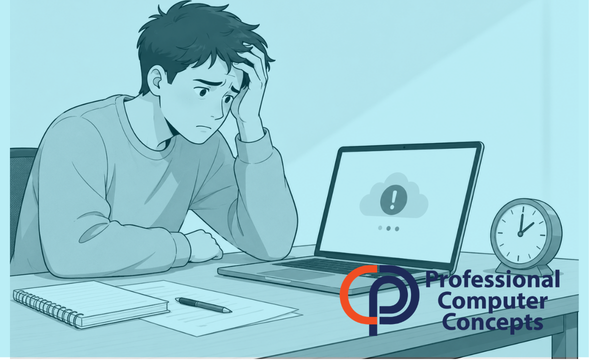
Cloud Platform Outage Risks: What the Canvas Breach Teaches Businesses
Cloud platform outage risks are easy to underestimate until a system people rely on every day suddenly becomes unavailable.
That is what made the recent Canvas breach so disruptive. Canvas is not some obscure tool sitting in the background. It is the platform many students and teachers use for assignments, grades, exams, messages, course materials, and daily academic communication. When access was disrupted during finals week, the problem was not just technical. It was operational, emotional, and reputational.
For students, that meant uncertainty during one of the most stressful parts of the academic year. For schools, it meant scrambling to communicate, adjust deadlines, protect data, and restore trust.
For businesses, the lesson is bigger than education.
Most organizations now depend on cloud platforms for the work they cannot afford to stop. Email, file sharing, accounting, project management, CRM, time tracking, document management, phone systems, and collaboration tools are all part of daily operations. When one of those platforms goes down because of a cyberattack, the business impact can be immediate.
The Canvas incident is a reminder that cloud services may reduce local infrastructure headaches, but they do not eliminate risk.
What Happened with Canvas?
In early May 2026, Canvas parent company Instructure disclosed a cybersecurity incident involving unauthorized access to certain user data. According to Instructure, the exposed data included items such as names, email addresses, user IDs, and messages, while the company said it had no evidence that passwords, birth dates, government IDs, or financial information were involved.
The situation escalated when unauthorized activity later affected what some users saw when logging into Canvas. Instructure temporarily took Canvas offline into maintenance mode to contain the activity, investigate, and apply safeguards.
The timing made the incident especially painful. Schools and universities were relying on Canvas during finals, when students needed access to exams, course notes, lecture materials, grades, and assignments. The Associated Press reported that the outage created disruption across schools and universities during a high-stress academic period.
Reuters later reported that Instructure reached an agreement with the hacking group involved, with the company saying the stolen data had been returned and destroyed. However, the company did not disclose whether a ransom was paid.
This is not just a story about one education platform. It is a story about dependency.
Why Cloud Platform Outage Risks Matter to Businesses
Many businesses have moved to cloud platforms because they are easier to access, easier to scale, and easier to manage than older on-premise systems. That shift makes sense.
But cloud does not mean “risk-free.”
It means the risk changes.
Instead of worrying only about the server in your office, you also have to think about identity security, vendor risk, access controls, integrations, backup strategy, and business continuity. You need to know what happens if a system your team depends on is unavailable for a few hours, a full day, or longer.
For a law firm, that might mean losing access to matter files, court deadlines, client communications, or billing records.
For a construction company, it might mean losing access to project plans, bid documents, change orders, schedules, job costing, or payment workflows.
For any small or mid-sized business, it might mean employees cannot do their work, clients do not get answers, invoices do not go out, and leadership is left trying to make decisions with incomplete information.
The real danger is not just the outage. It is the lack of a plan.
“No Passwords Were Compromised” Does Not Mean “No Risk”
One of the most common reactions to a breach notice is to look for the sentence that says passwords or financial information were not exposed. That matters, but it should not create false comfort.
Partial data is still useful to cybercriminals.
Names, email addresses, IDs, internal messages, school affiliations, business relationships, or platform usage details can all help attackers build more convincing phishing attacks. They can use that information to impersonate trusted parties, pressure users, or target people at moments when stress is already high.
That is what makes incidents like this especially relevant to businesses.
An attacker does not always need a password to cause damage. Sometimes they only need enough context to make a fake message believable.
That could look like:
- A fake notice about restoring access to a system.
- A message pretending to come from a vendor.
- A fraudulent invoice tied to a real project.
- A request to “verify” account information after a breach.
- A fake login page sent during a period of confusion.
This is where cybersecurity becomes less about technology alone and more about process, training, and decision-making.
The Bigger Lesson: Identity Is Now the Front Door
The Canvas breach also reinforces a larger shift happening in cybersecurity. Identity has become one of the most important attack surfaces.
For years, many organizations thought about security in terms of devices and networks. Firewalls, antivirus, and servers were the center of the conversation. Those things still matter, but they are no longer enough.
Now, the question is often:
- Who has access?
- How do they authenticate?
- Can their account be misused?
- Are integrations and API keys controlled?
- Can suspicious logins be detected?
- Can access be revoked quickly?
The U.S. Department of Education’s Federal Student Aid office issued a technology security alert related to Canvas and recommended that institutions review authentication logs, integration logs, single sign-on connectors, Learning Tools Interoperability tools, and API keys for unusual access patterns. It also recommended enforcing multi-factor authentication.
That advice applies well beyond schools.
If your business uses cloud platforms, your security strategy has to include the identities, permissions, and integrations connected to those platforms.
Vendor Risk Is Business Risk
Most businesses depend on outside vendors. That is normal. The issue is whether anyone is actively thinking through the risk that comes with that dependency.
A vendor can have excellent tools and still experience an incident. A cloud platform can be widely trusted and still become a target. A system can be convenient and still create operational exposure if there is no backup plan.
This is where business owners need to avoid a common mistake: assuming vendor security is entirely the vendor’s problem.
It is not.
The vendor may be responsible for protecting its platform, but your business is responsible for understanding how much you depend on that platform and what you will do if it becomes unavailable.
That means asking practical questions before there is a crisis:
- Which systems are mission-critical?
- Who owns each vendor relationship internally?
- Do we have admin access documented securely?
- Do we know how to contact vendor support during an incident?
- Are backups available outside the platform?
- Can employees keep working if the system is down?
- Do we have a communication plan for clients, employees, and vendors?
If the answer is “we would figure it out when it happens,” that is not a plan. That is a gamble.
Cloud Platforms Still Need Backup and Continuity Planning
A common assumption is that cloud platforms automatically protect everything. That is only partly true.
Cloud providers generally protect the infrastructure that runs the platform. That does not always mean your business has the level of backup, retention, export capability, or recovery flexibility it expects.
For example, Microsoft 365, Google Workspace, Dropbox, QuickBooks Online, project management tools, legal practice management platforms, and construction management systems all have different backup and retention realities. Some protect against platform failure. Some protect against accidental deletion. Some make recovery easy. Some do not.
The business question is simple:
If this system was unavailable tomorrow, what would we lose access to, and how long could we function without it?
That question should be answered before an outage, not during one.
What Businesses Should Do Now
The Canvas incident is not a reason to panic or abandon cloud platforms. That would be the wrong lesson.
The right lesson is that cloud platforms need governance.
Cloud outages and cybersecurity incidents are easier to manage when businesses already have a documented disaster recovery plan that explains how systems, data, and communication will be restored.
Start by identifying your most important systems. Not every application deserves the same level of planning, but the systems tied to money, client communication, deadlines, operations, and sensitive data should be treated seriously.
Then review access. Make sure multi-factor authentication is enabled, admin accounts are limited, former employees are removed, and permissions are not broader than they need to be.
Next, look at backup and recovery. Know what is backed up, how long it is retained, who can restore it, and whether your backup is independent of the platform itself.
Finally, build a simple outage response plan. It does not need to be complicated. It needs to answer who communicates, who decides, what systems matter most, and how the business continues operating if a critical platform is down.
Cybersecurity is not only about stopping attacks. It is also about reducing chaos when something goes wrong.
Final Thoughts from PCC
The Canvas breach hit education, but the lesson applies directly to small and mid-sized businesses.
Most companies are now deeply dependent on cloud platforms. That is not a weakness by itself. The weakness is depending on those systems without understanding the risks, access controls, backup options, and continuity plans around them.
Professional Computer Concepts (PCC) helps businesses look at technology from a practical business perspective. We help clients manage their IT systems, strengthen cybersecurity, protect Microsoft 365 data, improve identity security, and plan for the disruptions that can affect daily operations.
If your business relies on cloud platforms and you are not sure what would happen if one of them went down, that is worth a conversation before there is an emergency.
About Professional Computer Concepts
Professional Computer Concepts is a Bay Area Managed IT and Cybersecurity provider that helps businesses stay productive, secure, and prepared for growth. We work closely with businesses to reduce downtime, improve security, and simplify technology so teams can focus on running their business instead of dealing with IT problems. Learn more about our Managed IT Services, Cybersecurity Services, Cloud Solutions, and IT Consulting Services.
Want to Learn More?
- How Hackers Get In: The Most Common Ways Cybercriminals Attack Small Businesses
- Leverage a Disaster Recovery Plan to Empower Your Business
- The Small Business Guide to Cybersecurity
- The Business Owner’s Guide to Managed IT Services
- The Complete Guide to Managed IT Services for Small and Mid-Sized Businesses