
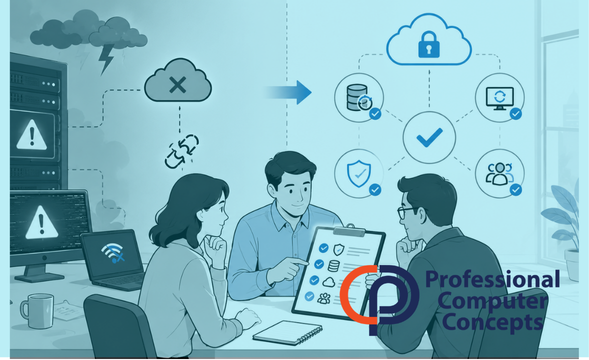
A disaster recovery plan is not just a document businesses create and forget about. It is a practical strategy for keeping operations moving when technology fails, data is lost, systems go down, or cybercriminals disrupt access to critical information.
Most businesses do not think about disaster recovery until something has already gone wrong. That is the problem.
By the time a server fails, a cloud platform goes offline, ransomware locks files, or an employee accidentally deletes important data, the business is no longer planning. It is reacting.
A strong disaster recovery plan helps shift the business out of panic mode and into action.
What Is a Disaster Recovery Plan?
A disaster recovery plan outlines how your business will restore access to systems, data, applications, and communication tools after a disruption.
This can include events such as:
- Cyberattacks
- Ransomware
- Hardware failure
- Cloud platform outages
- Accidental deletion
- Power outages
- Natural disasters
- Vendor failures
- Internet or phone system interruptions
The goal is not to pretend every problem can be prevented. The goal is to make sure the business knows what to do when something breaks.
That difference matters.
Why a Disaster Recovery Plan Matters More Than Most Businesses Realize
Many business owners assume that having backups means they have a disaster recovery plan.
They do not.
Backups are one part of recovery. A disaster recovery plan answers bigger questions:
- What systems need to come back first?
- Who makes decisions during an incident?
- How long can the business operate without access?
- Where is critical data stored?
- How quickly can systems be restored?
- How will employees communicate if email or phones are down?
- Who contacts vendors, clients, insurance, or legal support?
- Has the recovery process actually been tested?
Without clear answers, even a good backup can turn into a messy recovery.
A Disaster Recovery Plan Protects More Than Data
The obvious purpose of a disaster recovery plan is to protect business data. That matters, but it is only part of the story.
A real disruption affects operations, employees, clients, revenue, and reputation.
If your team cannot access email, project files, financial records, case documents, job schedules, contracts, or customer information, the business slows down quickly. In some industries, even a short outage can create missed deadlines, delayed payments, compliance issues, or frustrated clients.
For construction companies, that might mean delayed bids, job site confusion, or payment problems.
For law firms, that might mean missed court deadlines, inaccessible matter files, or client confidentiality concerns.
For any business, downtime is expensive.
What Should Be Included in a Disaster Recovery Plan?
A useful disaster recovery plan should be clear enough that people can follow it under pressure.
At minimum, it should include:
- A list of critical systems and applications
- Backup locations and recovery procedures
- Key contacts and decision-makers
- Vendor and insurance contact information
- Communication procedures
- Recovery time expectations
- Cybersecurity response steps
- Hardware and software dependencies
- Testing schedule
- Documentation for restoring access
The plan should also define which systems matter most. Not every system has the same urgency. Payroll, email, customer records, accounting, file storage, and line-of-business applications usually need higher priority than less critical tools.
The Biggest Mistake: Creating a Plan but Never Testing It
A disaster recovery plan that has never been tested is mostly a theory.
Testing helps confirm whether backups work, whether systems can actually be restored, whether people know their roles, and whether recovery timelines are realistic.
This is where many businesses get uncomfortable, but it is better to find gaps during a test than during an actual emergency.
A backup that exists but cannot be restored quickly is not enough. A recovery process that depends on one person’s memory is not enough. A plan stored only on the server that just went down is not enough.
Disaster recovery needs to be practical.
How a Disaster Recovery Plan Supports Better Business Decisions
A strong disaster recovery plan does more than help during a crisis. It also helps leadership make smarter decisions about technology.
It can reveal:
- Systems that are too dependent on aging hardware
- Weaknesses in backup coverage
- Poor documentation
- Overreliance on one employee or vendor
- Cloud platforms that lack proper backup
- Gaps in cybersecurity response
- Processes that are not clearly owned
These findings can guide future investments. Instead of buying random tools or reacting to fear, the business can make decisions based on risk, impact, and recovery needs.
That is where disaster recovery becomes empowering. It gives leadership a clearer picture of what could disrupt the business and what needs to be improved first.
Disaster Recovery and Cybersecurity Work Together
Disaster recovery and cybersecurity are closely connected, but they are not the same thing.
Cybersecurity focuses on reducing the likelihood of an incident. Disaster recovery focuses on what happens if prevention fails.
Businesses need both.
Even with strong cybersecurity tools, incidents can still happen. Employees make mistakes. Vendors experience outages. Cloud platforms fail. Cybercriminals adapt. Hardware ages. Files get deleted.
A disaster recovery plan gives the business a second layer of protection by making recovery part of the strategy.
Final Thoughts: PCC Can Help You Build a Recovery Plan That Actually Works
A disaster recovery plan should not be complicated for the sake of looking impressive. It should be clear, realistic, and usable when your business is under pressure.
Professional Computer Concepts helps businesses evaluate their current backup and recovery posture, identify weak spots, and create practical disaster recovery strategies that support real business operations. From managed IT services and cybersecurity to cloud solutions and business continuity planning, PCC helps businesses prepare before disruption turns into damage.
If your business has backups but no clear recovery plan, it may be time to take a closer look.
About Professional Computer Concepts
Professional Computer Concepts is a Bay Area Managed IT and Cybersecurity provider that helps businesses stay productive, secure, and prepared for growth. We work closely with businesses to reduce downtime, improve security, and simplify technology so teams can focus on running their business instead of dealing with IT problems. Learn more about our Managed IT Services, Cybersecurity Services, Cloud Solutions, and IT Consulting Services.
Want to Learn More?
- What to Expect from a Managed IT Support Provider
- Smart Computer Security Tips Every Small Business Should Know
- Cybersecurity Tools and Technologies