
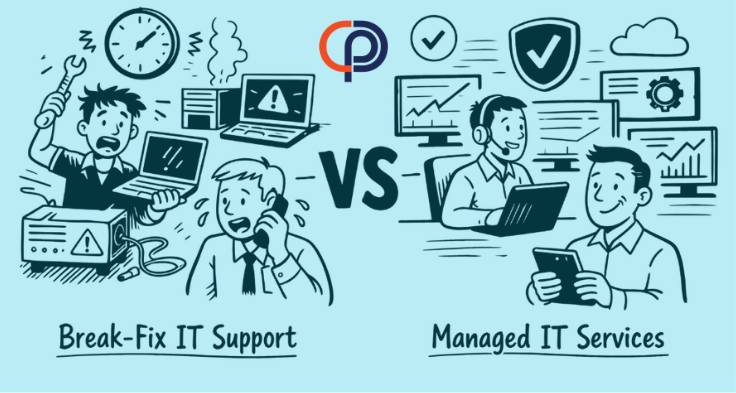
Choosing between managed IT services and break-fix IT support is not simply a question of whether you want to pay a monthly fee. It is a decision about how your business will manage technology risk, responsibility, and disruption.
Break-fix support responds to individual problems. Managed IT services take responsibility for maintaining and improving the broader technology environment over time.
Neither model is automatically right for every organization. The better choice depends on how heavily your business relies on technology, how much downtime it can tolerate, and whether someone is actively overseeing security and long-term planning.
What Is Break-Fix IT Support?
Under the break-fix model, a business contacts an IT provider when something stops working or when a specific project requires technical help. The provider diagnoses the problem, completes the work, and charges for the time and materials involved.
Examples may include:
- Repairing a computer that will not start
- Restoring access to a file or application
- Troubleshooting a network outage
- Installing new equipment
- Removing malware after an infection
This arrangement can appear economical because there is no recurring managed-services commitment. However, the provider is typically paid when work is required. Ongoing monitoring, standardization, security management, documentation, and technology planning may not be included.
What Are Managed IT Services?
Managed IT services provide continuing oversight of a business’s technology environment. Instead of beginning with an isolated problem, the provider manages systems, support, security, and planning as connected parts of the business.
A managed-services agreement may include:
- Employee technical support
- Continuous system and network monitoring
- Software updates and patch management
- Endpoint and email security
- Microsoft 365 administration
- Backup oversight and recovery planning
- User onboarding and offboarding
- Technology documentation
- Hardware lifecycle and budget planning
- Strategic technology guidance
The exact scope varies by provider and agreement. Businesses should confirm what is included, what is billed separately, and which responsibilities remain with their internal team.
For a broader explanation, read PCC’s Business Owner’s Guide to Managed IT Services.
Managed IT Services vs. Break-Fix: Key Differences
| Area | Break-Fix Support | Managed IT Services |
|---|---|---|
| Primary approach | Respond after a problem is reported | Maintain, monitor, support, and improve systems continuously |
| Cost structure | Variable charges based on incidents and projects | Predictable recurring cost, with defined exclusions |
| Monitoring | Usually limited or purchased separately | Continuous monitoring is commonly included |
| Security | Often addressed through separate requests | Managed as an ongoing, layered program |
| Documentation | May be limited to individual service records | Maintained as part of ongoing management |
| Planning | Typically requested as a separate engagement | Usually incorporated into the relationship |
The Incentives Behind Each Model
The two models create different working relationships.
With break-fix support, the provider earns revenue when technical work is needed. With managed IT services, the provider receives a recurring fee and benefits when the client’s systems remain stable, secure, and supportable.
This does not mean a break-fix provider deliberately allows problems to occur. It means the commercial structure is centered on resolving incidents rather than reducing the number of incidents over time.
A managed provider has a stronger operational incentive to standardize systems, address recurring problems, monitor warning signs, and plan ahead. Prevention helps both the client and provider avoid unnecessary disruption.
How the Costs Differ
Break-fix support may cost less during a quiet month. It can also produce an unexpectedly large bill when several problems occur at once or when a major failure requires urgent work.
Managed IT services convert many recurring technology expenses into a more predictable monthly cost. Pricing commonly depends on the number of users and devices, the complexity of the environment, security requirements, locations, and the services included.
The correct comparison is not simply:
“Which provider charges less each month?”
A better comparison includes:
- Monthly support and service costs
- Employee time lost to technology problems
- Operational disruption and missed deadlines
- Security tools and management
- Emergency and after-hours work
- Technology planning and documentation
- The business impact of preventable failures
Managed services do not eliminate every problem or guarantee that downtime will never occur. Their purpose is to reduce avoidable problems, identify risks earlier, and provide a coordinated response when issues arise.
Security Requires Ongoing Management
Modern cybersecurity is difficult to manage through occasional repair visits. Security controls need to be configured, monitored, updated, and reviewed as employees, devices, applications, and threats change.
This can include:
- Multi-factor authentication
- Endpoint protection and threat monitoring
- Email security and phishing protection
- Security updates and patching
- Access management
- Employee security-awareness training
- Backup and recovery oversight
- Documented onboarding and offboarding
A break-fix provider can implement individual security tools. The unresolved question is who will verify that those tools continue working together and remain appropriate as the business changes.
Learn more about PCC’s approach to cybersecurity services for Bay Area businesses.
When Break-Fix IT Support May Be Enough
Occasional IT support may remain reasonable when a business:
- Has very few employees and devices
- Uses only simple, noncritical technology
- Can tolerate extended interruptions
- Has qualified internal staff managing security and planning
- Needs assistance only with isolated projects
The important point is that someone must still own ongoing technology and security responsibilities. Choosing break-fix support does not make those responsibilities disappear.
Signs Your Business May Have Outgrown Break-Fix
It may be time to consider managed IT services when:
- The same technical problems keep returning
- Employees do not know whom to contact for help
- Technology expenses are difficult to forecast
- Security tools have been added without coordinated oversight
- Onboarding and offboarding are inconsistent
- No one maintains accurate technology documentation
- Aging equipment is replaced only after it fails
- Leadership lacks a practical technology roadmap
- Downtime affects customers, deadlines, or revenue
One incident alone does not necessarily justify changing providers or support models. A repeated pattern of disruption, unclear responsibility, and reactive spending is the stronger signal.
Questions to Ask Before Choosing an IT Support Model
Before making a decision, ask:
- Who is responsible for monitoring our systems?
- Who manages updates, security tools, backups, and access?
- How much downtime can our business realistically tolerate?
- Are our technology costs predictable?
- Do we have current documentation and a recovery plan?
- Who helps leadership plan replacements and future investments?
- What is included in the agreement, and what costs extra?
- How will the provider measure and communicate performance?
The answers will usually reveal whether occasional assistance remains sufficient or whether the business needs continuing technology management.
How PCC Approaches Managed IT
Professional Computer Concepts has supported Bay Area businesses since 2002. PCC provides responsive employee support, 24/7 system monitoring, cybersecurity management, Microsoft 365 administration, documentation, and long-term technology planning.
Our managed-services relationships are designed for organizations that want clearer accountability and a more consistent approach to technology. Hardware and project work are priced separately, so businesses can distinguish recurring services from planned investments.
Explore PCC’s managed IT services for Bay Area businesses.
Is Reactive IT Still Working for Your Business?
Let’s discuss your current technology environment, recurring concerns, and business priorities. We will help you determine whether managed IT services are appropriate for your organization.
Frequently Asked Questions
What is the main difference between managed IT and break-fix support?
Break-fix support responds to individual problems after they occur. Managed IT provides continuing oversight, support, monitoring, security management, and planning.
Is break-fix IT cheaper?
It may cost less when little assistance is needed. However, the total cost can become unpredictable when emergency work, recurring problems, downtime, and separately purchased security services are included.
Can managed IT prevent every technical problem?
No. Hardware can fail, software can malfunction, and security incidents can still occur. Managed services are intended to reduce avoidable failures, improve preparedness, and provide a coordinated response.
How do I know whether my business needs managed IT services?
Consider how dependent your operations are on technology, how much disruption you can tolerate, and whether someone currently owns monitoring, security, documentation, support, and long-term planning.
Can a business use both managed and break-fix services?
Yes. A managed provider may oversee the core environment while separate specialists complete defined projects. Responsibilities should be clearly documented so important work does not fall between providers.