
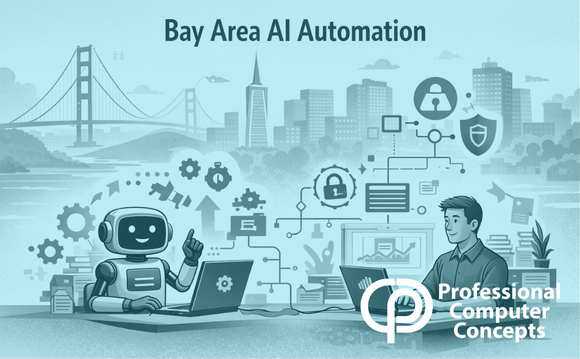
TL;DR Bay Area AI automation is moving quickly, but most small businesses are not fully prepared. Without the right IT infrastructure, automation can create more risk than value. The key is aligning systems, security, and strategy before adoption.
“Bay Area AI automation is helping small businesses streamline operations while improving efficiency and reducing manual workloads.”
“Businesses adopting Bay Area AI automation must ensure their IT infrastructure is prepared to support secure and scalable automation tools.”
“Bay Area AI automation continues to evolve rapidly, requiring companies to align their technology strategy before implementing new solutions.”
“Professional Computer Concepts helps organizations navigate Bay Area AI automation by preparing their IT systems for long-term success.”
Bay Area AI automation is driving a new wave of business transformation. From automated workflows to intelligent helpdesk tools, companies across the region are exploring how automation can improve efficiency.
But before diving in, small and midsized businesses (SMBs) face a crucial question: Is your IT infrastructure ready to support Bay Area AI automation?
At Professional Computer Concepts (PCC), we help Bay Area organizations make sense of emerging technology. Our focus isn’t on selling automation tools. It’s on ensuring your systems and strategy are prepared to adopt automation safely and effectively.
Why Bay Area AI Automation Is Accelerating So Quickly
There’s a reason Bay Area AI automation is gaining traction. The region’s culture of innovation and rapid prototyping means local SMBs adopt new technologies faster than most. That energy creates opportunity and risk.
This surge in Bay Area AI automation creates both opportunity and risk for small and midsized businesses. Without a clear IT foundation, even the best automation tool can introduce new security gaps or data silos.
PCC helps clients sequence adoption, modernizing the network, cybersecurity, and cloud layers first so that automation supports, not strains, business operations.
Where Bay Area AI Automation Fits in Everyday IT
Helpdesk and Workflow Efficiency
AI-powered tools can categorize tickets, suggest responses, and reduce repetitive work. Yet they only deliver real value when properly integrated with existing systems. PCC helps evaluate whether your infrastructure can support those integrations cleanly.
Cybersecurity Automation
Security automation can detect and contain threats faster than human analysts alone. However, it relies on strong identity management and logging. These are foundations many SMBs need to address before adopting automation.
Cloud Resource Optimization
Automating resource scaling and cost management can reduce cloud expenses by 10 to 20 percent. To prevent misfires, businesses must standardize policies and backups first. PCC helps align these steps to minimize risk.
These use cases highlight how Bay Area AI automation can deliver value, but only when supported by a well-structured IT environment.
The Hidden Risks of Moving Too Fast
Automation’s biggest risk isn’t technical failure. It’s strategic misalignment.
Common pitfalls include:
- Shadow tools deployed outside IT oversight
- Automation systems accessing sensitive data without proper controls
- Disconnected platforms creating noise instead of insight
Many businesses rush into Bay Area AI automation without addressing these foundational gaps. That’s where problems begin.
True success comes from disciplined IT strategy. PCC helps businesses define governance frameworks so automation adds control instead of complexity.
How Bay Area Businesses Are Actually Using AI Automation
Across the region, businesses are applying automation in practical ways:
- Automating ticket routing and responses in IT helpdesks
- Streamlining onboarding workflows for new employees
- Generating reports and operational insights automatically
These examples show that Bay Area AI automation is not theoretical. It is already shaping how businesses operate. The difference is whether it is implemented with structure or added on top of existing complexity.
Five Steps to Prepare Your IT for Automation
To successfully adopt Bay Area AI automation, businesses need a structured approach.
Assess your current environment and identify manual processes and dependencies.
Score opportunities based on business impact and ease of integration.
Vet vendors carefully, focusing on support, compliance, and compatibility.
Align your infrastructure, including network, security, and endpoint management.
Pilot before scaling with clear success metrics and rollback plans.
Automation delivers the most value when it is built on operational maturity, not urgency.
Did You Know? According to IBM’s 2024 Cost of a Data Breach Report, the global average cost of a breach reached $4.88 million. Businesses adopting Bay Area AI automation without proper security foundations increase their exposure to these risks. [Source: IBM Security]
A Bay Area Mindset: Prototype Responsibly
The Bay Area’s culture encourages fast experimentation. That mindset drives innovation, but it must be balanced with thoughtful IT planning.
PCC helps clients test Bay Area AI automation in controlled environments so they can learn what works without disrupting core systems.
This balance is what separates short-term wins from long-term capability.
How Professional Computer Concepts Helps
At Professional Computer Concepts, our role is to guide SMBs through technology transitions with clarity and confidence.
We help Bay Area organizations:
- Understand automation readiness
- Prepare IT infrastructure for future demands
- Evaluate vendors and integration risks
- Maintain secure and scalable systems
We do not build automation. We make sure your business is ready to use it effectively.
The Bottom Line
Bay Area AI automation is transforming how businesses approach efficiency, but success depends on how well your IT infrastructure supports it.
Businesses that align systems, security, and strategy first will gain the most value. Those that rush in often create new challenges instead of solving existing ones.
If you are exploring automation, start with a conversation.
About Professional Computer Concepts
Professional Computer Concepts is a trusted Managed IT and Cybersecurity provider serving the Bay Area for over 20 years. We help small and midsize businesses simplify their IT, strengthen security, and modernize operations. Explore our services:
Managed IT Services | Cybersecurity | Cloud Solutions
From PCC’s Desk
There is a lot of excitement around automation right now. That’s understandable.
But the businesses that benefit most are not the ones moving the fastest. They are the ones building the right foundation first.
If you want to understand where your IT stands before adopting Bay Area AI automation, let’s talk.
Frequently Asked Questions About Bay Area AI Automation
What is Bay Area AI automation?
Bay Area AI automation refers to how businesses in the region are using artificial intelligence to automate workflows, improve efficiency, and reduce manual tasks across operations.
Why is AI automation growing so quickly in the Bay Area?
The Bay Area has a strong culture of innovation and early adoption. Businesses are constantly testing new technologies, which is why automation tools are being implemented faster here than in many other regions.
Is my business ready for AI automation?
Readiness depends on your IT infrastructure. If your systems are not standardized, secure, and well-integrated, automation can create more problems instead of solving them.
What are the risks of adopting automation too quickly?
The biggest risks include security gaps, poor data management, and disconnected systems. Many businesses move forward without addressing foundational IT issues, which leads to inefficiencies and increased exposure.
How does IT infrastructure impact automation?
Automation depends on stable networks, strong cybersecurity, and properly managed cloud environments. Without these, tools may not perform reliably or securely.
What are common use cases for AI automation?
Common uses include automating helpdesk workflows, improving cybersecurity response times, and optimizing cloud resource management. These applications are most effective when systems are aligned.
Do small businesses benefit from AI automation?
Yes, but only when implemented with structure. Automation can reduce manual work and improve efficiency, but it requires proper planning and oversight to deliver consistent results.
How should a business start with automation?
Start by evaluating your current environment. Understanding your systems, risks, and opportunities allows you to adopt automation in a controlled and effective way.
How does automation relate to cybersecurity?
Automation can improve detection and response, but it also introduces new risks if not properly managed. Security should be addressed before expanding automation efforts.
When should I talk to an IT provider about automation?
If you’re exploring automation tools or noticing inefficiencies in your processes, it’s the right time to start a conversation. Early planning helps avoid costly mistakes.