
TL;DR Microsoft Copilot agents Analyst and Researcher are pre-built tools inside Microsoft 365 that help businesses analyze data and think through strategy faster. Used correctly, these two agents move AI from casual chat to real decision support.
Microsoft Copilot Agents: A Closer Look at Analyst and Researcher
When people talk about Microsoft Copilot agents, the conversation often becomes vague. AI this. Automation that. Productivity gains somewhere in between.
Let’s be specific.
Inside Microsoft 365 Copilot, two pre-built agents are already available: Analyst and Researcher. These are not custom builds. They are not experimental add-ons. They are purpose-built agents designed for two very different but critical types of work: data analysis and strategic reasoning.
Understanding what Analyst and Researcher actually do is what turns Copilot from a novelty into a business tool.

The Analyst Agent: Focused on Data, Not Conversation
The Analyst agent is built for one core purpose: helping you interpret data.
Most organizations have no shortage of reports, spreadsheets, exports, and dashboards. What they lack is time to interpret them. Analyst is designed to function like a built-in data professional inside your Microsoft 365 environment.
The Analyst Microsoft Copilot agent can:
- Analyze raw data from spreadsheets and reports
- Identify trends and anomalies
- Compare metrics over time
- Summarize findings in plain language
Instead of manually filtering, sorting, and reformatting data, you pose a clear question. Analyst processes the information and returns structured insight.
The key distinction is this: Analyst is optimized for data reasoning. It is not just answering questions conversationally. It is evaluating information and returning analysis.
If your question begins with “What does this data show?” or “Where are we seeing changes?”, the Analyst agent is the right Microsoft Copilot agent to use.
The Researcher Agent: Structured Thinking for Complex Topics
Where Analyst works with numbers, the Researcher agent works with context.
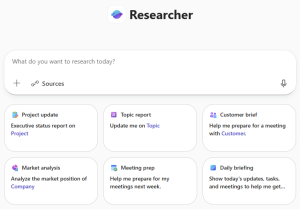
The Researcher Microsoft Copilot agent is designed to synthesize information, explore perspectives, and help structure strategic thinking. It acts less like a calculator and more like a structured advisor.
Researcher is particularly valuable when you are:
- Developing strategy
- Evaluating risks or opportunities
- Preparing executive summaries
- Exploring implications of a business decision
If Analyst answers “What happened?”, Researcher helps answer “What does this mean, and what should we consider next?”
This is where many businesses misuse Copilot. They default to general chat for everything. Chat is helpful for quick answers. Researcher is optimized for deeper reasoning.
The difference is subtle but important. One is conversational. The other is structured and outcome-driven.
Why Analyst and Researcher Are Not the Same as Chat
It is worth addressing directly: why not just use Copilot chat?
Chat is broad. Analyst and Researcher are specialized Microsoft Copilot agents. They are tuned for specific types of thinking.
Chat is useful for quick explanations or drafting. Analyst is built for data interpretation. Researcher is built for strategic synthesis.
Choosing the correct agent reduces rework. It shortens meetings. It improves the quality of decisions. Over time, that compounds.
The power is not in AI for its own sake. It is in selecting the right tool for the right type of work.
Making Microsoft Copilot Agents Work in the Real World
For small and midsize businesses, the opportunity is significant. Analyst and Researcher are embedded directly in Microsoft 365 Copilot, which many organizations already rely on daily.
But activation alone is not strategy.
To use Microsoft Copilot agents effectively, your data structure, permissions, and governance must be aligned. Poorly organized SharePoint libraries, inconsistent naming conventions, and weak identity controls reduce AI effectiveness.
This connects directly to the work we outline in Is Your Data AI-Ready? and The Business Owner’s Guide to Managed IT Services. AI performance is a reflection of IT maturity.
At Professional Computer Concepts, we help businesses ensure Microsoft 365 environments are secure, structured, and ready to support tools like Analyst and Researcher. That includes identity management, licensing clarity, and data governance alignment.
AI adoption should be intentional. Otherwise, it becomes noise.
Final Thoughts
Microsoft Copilot agents are not abstract concepts. Analyst and Researcher are two concrete, pre-built tools available today inside Microsoft 365.
Analyst helps you understand your data.
Researcher helps you think through your decisions.
Used correctly, these Microsoft Copilot agents shift AI from passive assistance to active decision support.
Managed IT Services Cybersecurity Services Cloud Solutions
From PCC’s Desk
The real question is not whether AI is available. It is whether you are using the right agent for the right work. If you want to explore how Microsoft Copilot agents can fit securely and strategically into your business, let’s talk.
Read some related articles:
- Microsoft Launches Copilot for Business: What You Gain and What You Lose
- What Makes Copilot+ PCs Unique?
- AI Hasn’t Lived Up to the Hype. That Doesn’t Mean It Failed.