
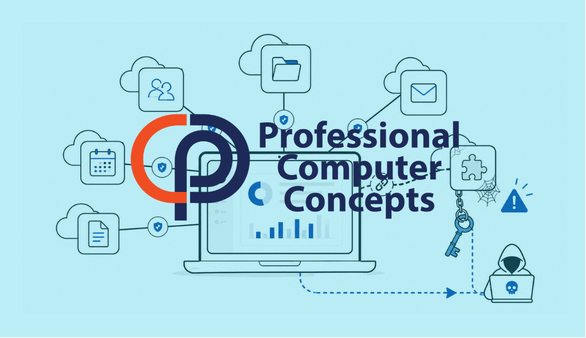
TL;DR The Klue breach demonstrates that third-party integration security cannot end when an application is installed. Businesses must regularly review OAuth permissions, service accounts, API connections, and old credentials because forgotten access can remain active long after an integration is abandoned.
The Klue breach provides an important lesson for any business that connects cloud applications to Microsoft 365, Salesforce, HubSpot, Google Drive, Slack, or other business platforms.
According to Huntress, attackers compromised systems belonging to Klue, a market intelligence provider, and obtained OAuth tokens used to connect Klue with customer applications. The attackers then used those tokens to access data from downstream customer environments, including Salesforce systems.
The incident was not simply another example of a vendor being breached. It exposed a more specific and frequently overlooked problem: organizations often add integrations quickly, but they do not always remove the access, credentials, and permissions associated with those integrations when they are no longer needed.
What Happened in the Klue Breach?
Klue provides a platform that can connect with several widely used business systems. Huntress reported that the affected integrations included Salesforce, HubSpot, SharePoint, Zoom, Gong, Google Drive, Slack, and other applications.
Huntress said the compromise began when attackers gained access to Klue’s backend systems and installed code capable of collecting customer OAuth tokens. Klue later disabled affected integrations and deactivated customer OAuth credentials while investigating the incident.
The initial access appears to have involved a credential that was originally created to prototype a third-party integration. The integration was later abandoned, but the credential reportedly remained active. The attackers used that access to move through Klue’s systems, steal customer integration tokens, and query connected customer platforms directly.
This sequence matters because it shows how one forgotten credential can create a chain of access across multiple organizations.
What Is an OAuth Token?
An OAuth token is a digital authorization that allows one application to access information or perform actions within another application.
For example, a business may authorize a sales intelligence platform to read information from Salesforce. Instead of giving the platform an employee’s Salesforce password, the business grants the application an OAuth token with specific permissions.
This approach can be more secure than sharing passwords, but an OAuth token is still a form of access. If the token is stolen, an attacker may be able to use the application’s approved permissions without entering a username, password, or multifactor authentication code.
That is why third-party integration security must include more than password policies.
Why Didn’t Multifactor Authentication Stop the Attack?
Multifactor authentication remains one of the most important protections against account compromise. However, MFA does not eliminate every type of access risk.
Once an application has been authorized, its token may allow it to connect without requiring a user to approve every request. This is necessary for applications that synchronize data automatically, but it also means that a stolen token may bypass the normal interactive login process.
The Klue incident does not mean MFA failed or is unnecessary. It means businesses need multiple layers of protection, including:
- Strong authentication for users and administrators
- Limited permissions for applications
- Regular reviews of connected applications
- Removal of unused accounts and credentials
- Logging and monitoring of application activity
Read more in PCC’s article, Principle of Least Privilege: A Practical Cybersecurity Guide for Small Businesses, which explains why users, applications, and vendors should receive only the access required to perform their work.
Why Are Old Integrations a Security Risk?
Businesses regularly test new software. A sales team may evaluate a CRM add-on. Marketing may connect a reporting platform. An employee may authorize an AI tool, scheduling application, file-sharing service, or browser extension.
The problem begins when the application is abandoned but its access remains.
An unused integration may still have:
- Active OAuth tokens
- API keys
- Service accounts
- Administrator consent
- Access to mailboxes, documents, contacts, or CRM records
- Credentials stored in application code
- Permissions granted by an employee who has since left the company
Because the integration is no longer actively used, no one may be watching its behavior. It becomes a forgotten doorway.
The Klue investigation shows that inactive does not necessarily mean harmless. A credential associated with an abandoned project may remain technically valid until someone deliberately disables it.
What Information Was Exposed?
Huntress reported that data obtained from its Salesforce environment included business contact information, company names, products used or trialed, subscription details, pricing information, sales communications, quotes, tasks, and opportunity notes. Huntress said its products, infrastructure, passwords, payment-card information, and security telemetry were not affected based on the available evidence.
It would be a mistake to dismiss sales and CRM data as unimportant simply because it does not include passwords or credit-card numbers.
CRM data can reveal:
- Who works with a company
- Which vendors and customers have active relationships
- What products a business uses
- What services it is considering
- Names and contact details of decision-makers
- Pricing, quotes, contract discussions, and renewal timing
- Internal notes about opportunities or next steps
Attackers can use this information to create highly credible phishing messages, impersonate vendors, redirect payments, or approach employees with details that make a fraudulent request appear legitimate.
Did You Know? Huntress warned that compromised sales information could be used in phishing campaigns in which criminals impersonate employees or organizations connected to the Klue incident. The company recommended using known, trusted communication channels to verify unexpected requests. [Source: Huntress]
What Should Businesses Review After the Klue Breach?
The most useful response is not to remove every integration. Cloud integrations help businesses automate work and reduce repetitive tasks. The goal is to make sure every connection has a clear owner, a legitimate purpose, and appropriately limited access.
Review Connected Applications
Businesses should maintain an inventory of applications connected to Microsoft 365, Salesforce, Google Workspace, accounting software, CRM platforms, and file storage systems.
Every application should have a documented business purpose and an accountable owner.
Remove Unused Applications and Credentials
Applications that are no longer used should be removed completely. This includes revoking tokens, deleting service accounts, disabling API keys, and removing administrator consent.
Deleting an application from an employee’s computer does not necessarily remove its cloud permissions.
Limit Application Permissions
An application should receive only the access required for its function.
A scheduling application may need access to calendar availability, but it should not automatically receive access to email, files, contacts, or all users unless those permissions are necessary.
Review Access After Employee Departures
When an employee leaves, the offboarding process should include more than disabling the employee’s account.
The business should also review applications the employee authorized, service accounts they managed, API keys they created, and third-party platforms where they served as the only administrator.
Learn more in The ADT Data Breach Shows Why Third-Party Access Remains a Security Risk.
Preserve and Review Security Logs
Logs help investigators determine what an attacker accessed and what actions occurred.
Huntress noted that some services did not make all relevant access logs readily available, requiring additional requests to vendors.
Businesses should understand which logs their applications retain, how long the logs remain available, and whether the organization can retrieve them quickly during an investigation.
When Should a Business Conduct an Integration Review?
A formal review should occur at least annually, but higher-risk environments may need quarterly reviews.
Businesses should also review connected applications when:
- An employee leaves
- A department changes software platforms
- A vendor relationship ends
- A pilot project is abandoned
- A merger or acquisition occurs
- A security incident affects a technology provider
- An application requests new permissions
- An administrator discovers an unfamiliar enterprise application
A review should not simply ask whether an application is installed. It should confirm what the application can access, who approved it, whether that access is still required, and how the integration would be disabled during an incident.
How Managed IT Helps Improve Third-Party Integration Security
Small and midsize businesses often lack centralized visibility into every cloud application employees have connected.
A managed IT provider can help establish a repeatable process for reviewing enterprise applications, identifying risky permissions, documenting service accounts, managing employee offboarding, and removing abandoned integrations.
This work also connects to broader IT governance. Businesses need clear rules for approving applications, assigning owners, reviewing vendor access, and responding when a connected provider experiences a breach.
Explore PCC’s guidance on what a managed service provider does for Bay Area businesses and how proactive IT management supports security, documentation, and long-term planning.
Frequently Asked Questions
What is third-party integration security?
Third-party integration security is the process of controlling how outside applications connect to a company’s systems and data. It includes reviewing permissions, managing tokens and service accounts, monitoring activity, and removing connections that are no longer required.
Can an OAuth token bypass MFA?
An OAuth token does not disable MFA, but it may allow an already-authorized application to access data without requiring a new interactive login. A stolen token may therefore provide access without prompting the attacker for an MFA code.
Is CRM information considered sensitive?
Yes. CRM records may contain contact information, pricing, quotes, vendor relationships, product details, internal notes, and sales communications. Attackers can use this information to create targeted phishing and impersonation attacks.
How often should connected applications be reviewed?
Most businesses should review connected applications at least annually. Organizations with many cloud platforms, frequent staffing changes, or sensitive information should consider quarterly reviews.
Does uninstalling an application revoke its access?
Not always. Removing software from a computer or ending a subscription may not revoke OAuth tokens, API keys, service accounts, or cloud permissions. Those connections should be removed from the relevant administrative portals.
Related Reading
Read more in The ADT Data Breach Shows Why Third-Party Access Remains a Security Risk.
Learn how the Principle of Least Privilege reduces unnecessary access for users, vendors, and applications.
Explore What Is a Managed Service Provider and Why It Matters for Bay Area SMBs.
About Professional Computer Concepts
Professional Computer Concepts (PCC) is a trusted Managed IT and Cybersecurity provider serving the Bay Area for over 20 years. We help small and midsize businesses simplify their IT, strengthen security, and modernize operations. Explore our services:
Managed IT Services | Cybersecurity | Cloud Solutions
From PCC’s Desk
The Klue breach is a reminder that technology access can outlive the project, employee, or vendor relationship that created it.
Businesses should not assume an integration is safe simply because no one is actively using it. Every connected application should have an owner, a purpose, limited permissions, and a defined removal process.
PCC helps Bay Area businesses identify forgotten access, strengthen cloud security, and build practical policies for managing third-party applications. Let’s talk about reviewing the integrations connected to your business systems.