
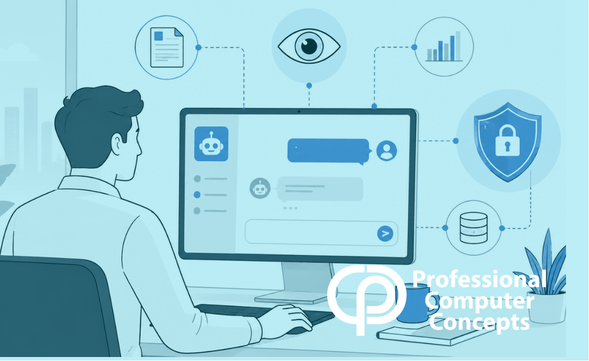
TL;DR Shadow AI monitoring helps businesses understand how employees are already using AI tools, where sensitive data may be at risk, and what controls are needed before small experiments become serious security problems.
Artificial intelligence is no longer something businesses are planning to use someday. Employees are already using it. They are asking AI tools to summarize emails, rewrite proposals, review contracts, troubleshoot spreadsheets, draft client responses, and explain technical problems.
That is not automatically bad. In many cases, AI can help people work faster and think more clearly. The problem starts when businesses have no visibility into which AI tools are being used, what information is being entered, and whether sensitive data is being exposed.
That is where shadow AI monitoring becomes important. Shadow AI is the use of AI tools without formal approval, oversight, or security controls. It is similar to shadow IT, but the risk is more direct because employees may paste private business information straight into a prompt.
What Is Shadow AI?
Shadow AI happens when employees use generative AI tools outside the company’s approved systems or policies. That could mean using a personal ChatGPT account, a browser-based AI writing tool, an AI meeting assistant, an online summarizer, or a free document analysis tool.
The employee may have good intentions. They may simply be trying to save time. But good intentions do not protect client data, financial information, employee records, proprietary processes, or confidential communications.
The risk is not only that someone uses AI. The larger risk is that leadership assumes AI is not being used because the company has not officially adopted it.
That assumption is dangerous.
Why Visibility Matters Before Policy
Many businesses start their AI conversations with policy. They ask, “Should we allow AI or block it?”
That is the wrong first question.
The better question is, “What is already happening?”
A policy written without visibility is mostly a guess. If employees are already relying on AI tools, a blanket ban may push the behavior further underground. If the company allows AI without monitoring, sensitive information may move into tools the business does not control.
Shadow AI monitoring gives leadership a clearer picture. It can help identify which AI tools are being accessed, how often they are used, and whether sensitive information may be involved.
You cannot protect data you cannot see.
The Sensitive Data Problem
Most employees do not think like security professionals. They may recognize that passwords and Social Security numbers are sensitive, but they may not think twice about pasting in a client email, legal summary, payroll question, sales proposal, or internal process document.
That is where AI creates a new kind of data leakage risk.
Unlike sending a file to the wrong person, AI interactions can feel informal. A prompt box does not feel like a data transfer. But from a business risk standpoint, it can be exactly that.
Microsoft notes that generative AI can amplify the risk of oversharing or leaking data because of the speed and power with which AI systems can surface and process information. Microsoft Purview includes controls for data loss prevention, sensitivity labels, auditing, communication compliance, and AI activity visibility across supported AI apps.
For business owners, the takeaway is simple: AI data protection is not only about the AI tool. It is about the data being entered, the user entering it, and the controls around that interaction.
Harmful Prompt Detection and Risky AI Behavior
Another important capability is detecting risky or harmful prompts. This does not mean reading every employee’s thoughts or micromanaging every AI interaction. It means identifying patterns that could create business risk.
Examples may include prompts that attempt to bypass security controls, expose confidential information, summarize protected documents, generate inappropriate content, or use company data in ways that violate policy.
Microsoft’s 2025 Digital Defense Report describes AI as both a cybersecurity tool and a vulnerability, noting that attackers are using AI more effectively while improperly secured AI workloads can be targeted through prompt-based attacks and supply chain exploits.
This is where businesses need to be careful. AI security is not just about stopping employees from making mistakes. It is also about recognizing that AI systems themselves are becoming part of the attack surface.
Event Logging and Reporting Create Accountability
Operational visibility matters. Business owners do not need noise. They need useful reporting.
Good AI governance should help answer practical questions:
- Which AI tools are employees using?
- Is sensitive data being entered into AI prompts?
- Are risky behaviors increasing?
- Are policies being followed?
- Do we have logs if something goes wrong?
Microsoft states that prompts and responses for supported AI apps can be captured in audit logs, including details about how and when users interact with AI apps and what Microsoft 365 files may have been referenced.
This matters because businesses need evidence, not assumptions. If a client asks how their data is protected, “We told employees not to paste sensitive information into AI” is not a strong answer. A better answer includes policy, technical controls, logging, reporting, and employee training.
Did You Know? IBM’s 2025 Cost of a Data Breach Report found that 63% of organizations lacked AI governance policies to manage AI or prevent shadow AI, and 97% of organizations that reported an AI-related security incident lacked proper AI access controls. IBM also reported the global average cost of a data breach at $4.4 million.
What Businesses Should Do First
The first step is not panic. The first step is visibility.
Businesses should identify which AI tools are in use, define what information employees should never enter into public or unmanaged AI systems, and create a practical approval process for AI tools. Security awareness training should include AI-specific examples, not just phishing and password reminders.
Companies using Microsoft 365 should also evaluate whether tools like Microsoft Purview, Defender for Cloud Apps, sensitivity labels, and data loss prevention can help reduce AI-related data risk. These tools are not a substitute for leadership decisions, but they can give businesses a stronger foundation.
AI governance should not be treated as a one-time policy document. It should become part of regular security, compliance, and operational review.
Related Reading
Read more in The Small Business Guide to Cybersecurity.
Learn how Managed IT Services can help businesses improve visibility, security, and day-to-day technology management.
Explore our article on How Hackers Get In: The Most Common Ways Cybercriminals Attack Small Businesses.
About Professional Computer Concepts
Professional Computer Concepts (PCC) is a trusted Managed IT and Cybersecurity provider serving the Bay Area for over 20 years. We help small and midsize businesses simplify their IT, strengthen security, and modernize operations. Explore our services:
Managed IT Services | Cybersecurity Services | Cloud Solutions
From PCC’s Desk
AI can be useful, but usefulness does not remove risk. The companies that handle AI well will not be the ones pretending employees are not using it. They will be the ones creating visibility, setting clear rules, and protecting sensitive information before a small shortcut becomes a serious problem.
If your business is starting to think seriously about AI security and governance, let’s talk.