
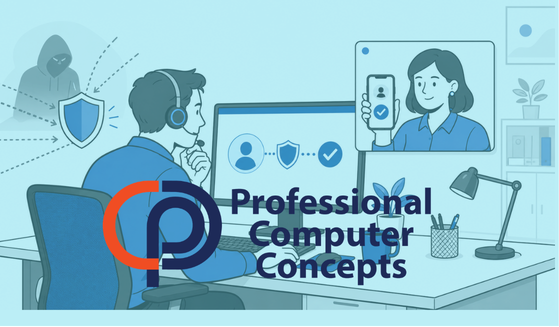
TL;DR Help desk security requires more than trusting a caller who knows an employee’s name, title, or personal information. Before resetting a password, replacing an MFA method, or granting account access, support staff need a consistent way to verify that the person making the request is who they claim to be.
Cybercriminals do not always need to hack through a firewall or exploit a software vulnerability. Sometimes, they simply contact the help desk and ask for access.
The attacker may claim to be an employee who lost a phone, started using a new computer, or cannot complete multifactor authentication. If the request sounds convincing and the technician wants to be helpful, normal security controls may be changed or removed.
That makes the help desk more than a support function. It is part of the company’s identity security system.
What Is a Help Desk Social Engineering Attack?
A help desk social engineering attack occurs when someone manipulates support personnel into resetting a password, changing an MFA method, disclosing information, or granting access.
The attacker often researches the person being impersonated before making contact. Employee names, job titles, office locations, vendors, coworkers, and contact information may be available through company websites, LinkedIn, social media, public records, or previous data breaches.
Possessing this information does not prove identity. It only proves that the caller knows how to conduct research.
An attacker may say:
- “I replaced my phone and need MFA moved to the new device.”
- “I am traveling and cannot access my email.”
- “My manager needs this completed before a client meeting.”
- “I cannot receive the verification code.”
- “I am a new employee, and my account was set up incorrectly.”
Each request may sound routine. That is exactly why a defined verification process matters.
Why Are Help Desks Attractive Targets?
Help desk personnel are trained to solve problems quickly. Attackers turn that strength against them.
A technician may feel pressure when a caller claims that an urgent project, client deadline, payroll run, or executive meeting is being delayed. The attacker may also become frustrated or mention senior leadership to discourage additional questions.
The real objective is often to persuade the technician to bypass an existing security control.
For example, an attacker who already knows an employee’s password may still be blocked by MFA. If the help desk replaces the employee’s registered authentication method with one controlled by the attacker, that final barrier disappears.
CISA has specifically warned that Scattered Spider threat actors have used social engineering to convince IT help desk personnel to reset passwords and MFA tokens. The group has also used personal information to answer identity-verification questions. [Source: CISA, Scattered Spider Cybersecurity Advisory]
Why Common Verification Questions Are Not Enough
Many businesses verify callers by asking for an employee ID, birth date, address, manager’s name, or the last four digits of a Social Security number.
That information may feel private, but much of it can be found or purchased by an attacker. Data breaches, social media, professional networking sites, public databases, and previous phishing campaigns have made personal information easier to obtain.
A better verification process uses information or technology that the attacker cannot easily reproduce.
For a routine password reset, the help desk might confirm the request through an established communication method already associated with the employee. Higher-risk requests may require approval from the employee’s manager, a video verification step, or an in-person identity check.
The verification method should match the risk of the request.
Which Help Desk Requests Require Extra Scrutiny?
Password Resets
A password reset can give an attacker the first credential needed to access email, files, cloud applications, and other company systems.
The technician should verify the employee’s identity through an approved process before issuing a temporary password. The new password should be delivered securely, expire appropriately, and require replacement when the employee signs in.
MFA Resets and New Device Enrollment
MFA changes deserve even greater scrutiny because they can transfer control of an account to a new device.
If someone claims to have lost or replaced a phone, the help desk should not rely on a call from an unfamiliar number as proof of identity. The request should trigger stronger verification and, when appropriate, review of recent sign-in activity.
Learn how repeated fraudulent authentication requests work in Defending Against MFA Fatigue.
Requests Involving Executive or Administrator Accounts
Executive, finance, IT administrator, and human resources accounts can provide access to sensitive information or powerful systems. Requests involving these accounts should follow stricter procedures.
Urgency should increase scrutiny, not reduce it.
Changes to Contact or Recovery Information
An attacker may ask to change a phone number, personal email address, recovery method, or other identity information before requesting a password reset.
These changes can undermine future verification. They should be treated as security-sensitive account modifications, not routine administrative updates.
Requests to Install Software or Grant Remote Access
A caller may impersonate an employee, vendor, or technology provider and ask the help desk to install a remote-support tool or approve elevated access.
Technicians should verify both the individual and the business reason for the request. Vendor access should be limited to the systems and time period required.
How Can a Business Improve Help Desk Security?
Create a Written Identity-Verification Procedure
Verification should not depend on which technician answers the phone. The company needs a consistent procedure covering password resets, MFA changes, new devices, recovery information, and privileged accounts.
The process should define:
- Which verification methods are acceptable
- Which information cannot be used as proof of identity
- When manager approval is required
- Which requests must be escalated
- How urgent after-hours requests are handled
- How the interaction is documented
A technician should be able to point to the procedure when refusing to bypass a control.
Use Established Communication Channels
A help desk should avoid treating a newly provided phone number or email address as proof of identity.
When possible, confirmation should occur through a previously registered company device, known telephone number, approved identity platform, or another established channel. If that channel is unavailable, the request should move to a stronger verification process.
Require Additional Approval for High-Risk Changes
Not every support request carries the same risk.
Replacing a mouse is different from resetting MFA for a global administrator. Businesses should define which changes require supervisory review or manager confirmation.
The goal is not to create unnecessary delays. It is to ensure that one convincing conversation cannot unlock a critical account.
Train Help Desk Personnel for Social Engineering
General phishing training is not enough for people who can reset credentials or change security settings.
Help desk personnel should practice handling callers who use urgency, authority, frustration, familiarity, or incomplete information to pressure them. Training should give technicians clear language for pausing and escalating questionable requests.
Read The Truth About Cybersecurity: Humans Are the Real Target for more on how attackers manipulate normal human behavior.
Log and Monitor Account Changes
Password resets, MFA replacements, recovery-information changes, and privileged-access modifications should be logged.
Security monitoring should look for warning signs such as a reset followed by a login from an unusual location, rapid registration of a new MFA method, or unexpected access to sensitive systems.
Strong procedures help prevent unauthorized changes. Monitoring helps identify them when prevention fails.
What Should Small Businesses Do?
A small business may use an internal employee, an outside IT provider, or a combination of both for technical support. The security requirement is the same: anyone with the ability to change account access must follow a documented identity-verification process.
Business owners should ask their IT provider:
- How do you verify someone requesting a password reset?
- What additional checks apply to MFA changes?
- Can one technician reset a privileged account without approval?
- Are identity-related changes recorded and reviewed?
- How are unusual or urgent requests escalated?
- What happens if normal verification methods are unavailable?
If the answer is based primarily on recognizing the caller’s voice or asking questions whose answers can be researched, the process needs improvement.
PCC’s Microsoft 365 Security Checklist provides additional steps businesses can take to protect cloud identities and company information.
Frequently Asked Questions
What is help desk security?
Help desk security includes the procedures and controls used to prevent unauthorized people from manipulating technical support personnel or support systems. It covers identity verification, password resets, MFA changes, remote access, documentation, and escalation.
Why is an MFA reset considered high risk?
An MFA reset can allow someone to register a new phone, authenticator application, or security method. If an attacker already has the password, controlling the new MFA method may give them full account access.
Is caller ID enough to verify an employee?
No. Caller ID can be spoofed, and phones can be lost or compromised. It can support an investigation, but it should not be the only proof of identity for a security-sensitive request.
Should executives be allowed to bypass verification?
No. Executive accounts often provide access to sensitive information and can be valuable targets. Seniority and urgency should not override the company’s verification process.
Can a small business implement help desk security without expensive tools?
Yes. Written procedures, manager confirmation, established callback numbers, escalation requirements, and consistent documentation can substantially improve security. Technology can strengthen the process, but clear rules are the starting point.
About Professional Computer Concepts
Professional Computer Concepts (PCC) is a trusted Managed IT and Cybersecurity provider serving the Bay Area for over 20 years. We help small and midsize businesses simplify their IT, strengthen security, and modernize operations. Explore our Managed IT Services, Cybersecurity, and Cloud Solutions.
From PCC’s Desk
A helpful technician naturally wants to solve an employee’s problem quickly. But when a request involves passwords, MFA, or account ownership, verification is part of solving the problem correctly.
If you are unsure how identity is verified when employees contact your help desk, now is the time to examine the process. Let’s talk about protecting your business accounts without making legitimate support unnecessarily difficult.