
On January 15, 2025, Microsoft introduced Microsoft 365 Copilot Chat, a new AI-powered chat experience designed to help businesses and professionals work smarter, not harder. Built on GPT-4o, this tool provides a secure, enterprise-grade AI assistant that integrates seamlessly into the Microsoft 365 ecosystem.
But why did Microsoft introduce Copilot Chat, and what does it bring to the table? Let’s break it down.
Why Did Microsoft Introduce Copilot Chat?
Microsoft’s vision for Copilot Chat is to bridge the AI accessibility gap while enhancing productivity, security, and automation for businesses. Here’s why they rolled it out:
1. Making AI More Accessible to Businesses
Many organizations want to leverage AI but face barriers like cost, complexity, and security concerns. Microsoft 365 Copilot Chat removes these obstacles by offering a free and secure AI chat solution to Microsoft 365 commercial users, making AI more accessible than ever.
2. Enhancing Productivity with AI Assistance
Everyday tasks like drafting emails, summarizing documents, scheduling meetings, and gathering information consume valuable time. Copilot Chat acts as a personal AI assistant to help users:
• Generate reports, presentations, and emails instantly
• Summarize lengthy documents or conversations
• Automate time-consuming tasks
3. Introducing AI Agents for Business Efficiency
Beyond chat, Microsoft is also introducing AI-powered agents that businesses can customize for specific processes. These agents:
• Operate on a pay-as-you-go basis
• Can be tailored to business-specific needs
• Seamlessly integrate with Microsoft 365 apps
4. Ensuring Security & Compliance
Unlike public AI tools, Microsoft 365 Copilot Chat is built with enterprise security in mind:
• IT administrators control permissions and data access
• Copilot Chat follows Microsoft’s strict compliance and security standards
• Ensures business data remains protected
5. Driving AI Transformation for Enterprises
AI is transforming the way businesses operate, and Microsoft wants to help organizations stay ahead of the curve. Copilot Chat provides intelligent, secure, and context-aware AI tools to help businesses:
• Increase operational efficiency
• Empower employees with AI-driven insights
• Reduce time spent on repetitive tasks
Key Features of Microsoft 365 Copilot Chat
Free AI Chat
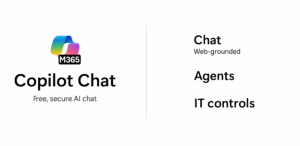
Microsoft 365 Copilot Chat provides users with a secure AI chat interface powered by GPT-4o. It helps with tasks like drafting emails and reports, summarizing documents, and generating content ideas.
Integration of AI Agents
Microsoft is introducing pay-as-you-go AI agents that can be customized to perform specific tasks, enhancing efficiency across various business processes. These agents are accessible directly within the chat interface.
Want to See Copilot Chat in Action?
Curious about how Copilot Chat can streamline your workflow? To dive deeper into why Microsoft launched Copilot Chat, its features, and how it works, check out this official Microsoft video:
In this video, Microsoft explains:
- The vision behind Copilot Chat and how it helps businesses
- Key features like AI-powered agents and enterprise-grade security
- Real-world use cases and how businesses can start using it today
Enterprise Data Protection
All interactions in Copilot Chat are protected by Microsoft’s enterprise-grade security. IT administrators can manage data access and agent functionalities, ensuring sensitive business information remains secure.
Final Thoughts
Microsoft 365 Copilot Chat is more than just another AI chatbot, it’s a powerful workplace assistant designed to boost productivity, automate tasks, and integrate AI seamlessly into daily workflows. By introducing AI chat, business-specific AI agents, and built-in security features, Microsoft is making AI more accessible, efficient, and secure for enterprises.
Are you ready to leverage AI in your business? Microsoft 365 Copilot Chat could be the productivity boost you’ve been looking for.
How Professional Computer Concepts Can Help Your Business
At Professional Computer Concepts, we help businesses integrate cutting-edge technology like Microsoft 365 Copilot Chat to streamline operations, improve security, and boost productivity.
Why partner with us?
✔ Microsoft 365 Experts – We help businesses maximize their Microsoft 365 investment.
✔ AI & Security-Focused – We ensure that AI tools like Copilot Chat are implemented securely.
✔ Seamless IT Integration – We make sure your AI tools work with your existing systems.
✔ Ongoing Support & Training – We help your team get the most out of AI-powered solutions.
Ready to explore how Copilot Chat can transform your workflow?
At Professional Computer Concepts, we go beyond just AI implementation. We provide comprehensive IT solutions to ensure your technology supports your business goals. As Microsoft 365 experts, we help businesses maximize their investment by seamlessly integrating AI-powered tools like Copilot Chat while ensuring enterprise-grade security and compliance. Our managed IT services proactively monitor, maintain, and optimize your entire IT infrastructure, reducing downtime and keeping operations running smoothly.
Security is at the core of everything we do. Our cybersecurity services, including Managed Detection and Response (MDR), endpoint security, and compliance services, protect businesses from evolving threats. We also help organizations transition to cloud-based environments, ensuring secure migrations, performance optimization, and robust data protection. To further safeguard your business, our backup and disaster recovery solutions ensure continuity by protecting critical data from unexpected disruptions.
Looking to integrate AI, enhance security, or modernize your IT environment? Contact us today to learn how we can help you leverage AI for smarter business operations!
Frequently Asked Questions
Is Microsoft 365 Copilot available now?
Yes, Microsoft 365 Copilot is currently available for purchase worldwide in public clouds. To use Copilot features, customers must have a qualifying Microsoft 365 subscription and purchase the Copilot add-on.
How can I chat with Microsoft Copilot?
To chat with Microsoft Copilot, you can use the Microsoft 365 Copilot Chat feature available in applications like Teams and Outlook. In Teams, navigate to the Chat section, select Copilot from your chat list, type your prompt, and select Send. In Outlook, Copilot can assist with drafting emails and summarizing threads.
How to get Copilot on Microsoft 365?
To get Copilot on Microsoft 365, ensure you have a qualifying Microsoft 365 subscription. Then, purchase the Copilot add-on to integrate AI-powered assistance into your Microsoft 365 applications. For individual users, Copilot Pro is available and can be paired with Microsoft 365 Personal or Family subscriptions to unlock Copilot features in desktop apps like Word, Excel, PowerPoint, and Outlook on Windows or Mac.
What is Microsoft 365 Copilot Business Chat?
Microsoft 365 Copilot Business Chat is an AI-powered assistant that helps users find and use information buried in documents or lost in conversations within Microsoft Teams. It brings together data from your documents, presentations, email, calendar, notes, and contacts to assist in various tasks. You can interact with Business Chat by going to the Chat section in Teams, selecting Copilot, typing your prompt, and sending it.