

Password managers are designed to keep our online accounts secure by storing all our passwords in one place. But are they truly safe from hackers?
What Are Password Managers?
A password manager acts as a digital vault, securely storing all your passwords. Instead of remembering multiple complex passwords, you only need to remember one master password to access your vault. This simplifies account management while maintaining strong security.
How Do They Work?
When you set up a password manager, you create a single master password. The password manager encrypts all your stored passwords, making them unreadable without the proper key. This encryption ensures that even if data is intercepted, it remains protected.
Why Use a Password Manager?
Managing multiple unique and complex passwords can be difficult. A password manager helps generate and store strong passwords securely, reducing the risk of using weak or reused passwords.
Can Password Managers Be Hacked?
While cybercriminals are always looking for ways to steal sensitive information, hacking into a password manager isn’t easy due to the strong security measures in place.
Security Features
Most password managers use advanced encryption techniques to secure stored credentials. Additionally, many support two-factor authentication (2FA), which adds an extra layer of protection. However, no system is entirely foolproof. If a hacker obtains your master password, they could potentially gain access to your vault. While some password managers have had security vulnerabilities in the past, such instances are rare.
 How to Keep Your Password Manager Secure
While password managers offer strong security, you can take additional steps to enhance protection:
1. Use a Strong Master Password
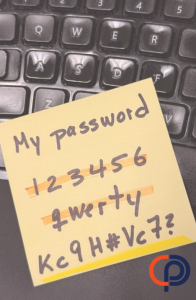
Create a long, complex password that includes a mix of uppercase and lowercase letters, numbers, and symbols. Avoid using easily guessed words or phrases.
👉 Want to learn what makes a password truly secure? Check out our blog “What Does It Really Mean to Use a Strong Password?” to find out how to create passwords that stand up against cyber threats.
2. Enable Multi-Factor Authentication
With Multi-Factor Authentication (MFA) enabled, even if someone manages to get your master password, they will still need a second authentication factor to log in.
3. Keep Your Software Updated
Regular updates address security vulnerabilities, so always ensure your password manager is running the latest version.
 What If a Password Manager Gets Hacked?
A security breach in a password manager can have serious consequences, potentially exposing all stored credentials.
Immediate Steps to Take
- Change your master password immediately.
- Update passwords for any critical accounts that may have been compromised.
Long-Term Solutions
- If a password manager has a history of security breaches, consider switching to a more reputable one.
- Stay informed about security updates and follow best practices to keep your data safe.
Are Password Managers Worth the Risk?
Despite potential risks, password managers remain one of the best tools for securing online accounts. They help create and store strong, unique passwords, reducing the risk of breaches due to weak or reused credentials.
 Choosing a Trustworthy Password Manager
Opt for a reputable provider with strong encryption, positive reviews, and security-focused features. Conduct research before selecting the best option for your needs.
Secure Your Online Accounts Today
A password manager is a valuable tool for strengthening your cybersecurity. By using a strong master password, enabling two-factor authentication, and keeping your software updated, you can enhance your online safety. Need help choosing the right password manager? Contact us today!
How Professional Computer Concepts Can Help
At Professional Computer Concepts, we take cybersecurity seriously. Whether you need guidance on choosing the right password manager, securing your business accounts, or implementing advanced security measures, we are here to help. Our Managed IT Services, Cloud Solutions, and Cybersecurity Services ensure your systems remain secure, up-to-date, and protected from cyber threats. Get in touch with us today to take control of your business’s cybersecurity!
Keeper: Strong Security for Your Passwords 
Looking for a reliable password manager? Keeper is a great option, offering strong encryption, secure storage, and advanced security features. It helps you generate, store, and autofill complex passwords, making account security effortless. Check out the video to see how Keeper works and why it’s a top choice for protecting your credentials.