
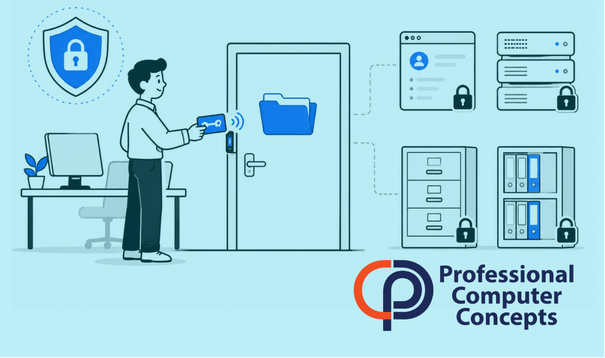
TL;DR The Principle of Least Privilege means employees, vendors, systems, and applications should only have the access they need to do their jobs. For small businesses, this reduces the damage caused by stolen passwords, insider mistakes, malware, and account compromise.
What Is the Principle of Least Privilege?
The Principle of Least Privilege is a cybersecurity practice that limits access to only what is necessary. An employee should not have administrator rights, financial system access, client folders, or sensitive data unless that access is required for their role.
NIST defines least privilege as restricting the access privileges of users or processes to the minimum necessary to complete assigned tasks. In plain English, that means access should be intentional, limited, and reviewed regularly.
For a small business, this is not just an IT theory. It affects everyday systems such as Microsoft 365, accounting software, file shares, remote access tools, password managers, line-of-business applications, and administrator accounts.
When everyone has broad access, a single compromised account can create a much larger incident. When access is limited, the damage is easier to contain.
Why Does Least Privilege Matter for Small Businesses?
Small businesses often grow quickly, change roles informally, and keep old permissions in place longer than they should. An employee may move from accounting to operations but still retain accounting access. A temporary vendor may finish a project but still have a login. A former employee may have access removed from email but not from a separate cloud application.
This is how permission creep happens. Permission creep means people collect access over time that they no longer need.
The risk is simple: unnecessary access becomes unnecessary exposure. If a user account is compromised through phishing, password reuse, or malware, the attacker inherits whatever access that account has. If that account has administrator rights or broad file access, the breach can spread faster.
Did You Know?
According to IBM’s 2025 Cost of a Data Breach Report, the global average cost of a data breach was $4.44 million. While small business incidents vary widely in cost, the lesson is clear: reducing unnecessary access can reduce the scope and impact of a breach.
For related guidance, read more in The Small Business Guide to Cybersecurity. You can also explore how Managed IT Support Services help businesses keep access, accounts, and devices under control.
How Least Privilege Reduces Cybersecurity Risk
Least privilege reduces risk by narrowing what each account can do. It does not prevent every cyberattack, but it can make attacks harder to execute and easier to contain.
If an employee clicks a phishing email and their password is stolen, the attacker may try to access email, files, cloud storage, financial systems, and administrator tools. If that employee only has access to the systems they need, the attacker has fewer options.
This matters in several common scenarios.
Stolen Passwords
Stolen credentials remain a major issue because attackers often prefer logging in over breaking in. A stolen password becomes much more dangerous when the account has broad permissions.
Least privilege limits what that stolen account can access.
Malware and Ransomware
Ransomware often spreads through accessible files, shared drives, and privileged accounts. If a user only has access to a limited set of folders, the potential damage may be reduced.
Least privilege does not replace backups, endpoint protection, or monitoring, but it strengthens all of them.
Insider Mistakes
Not every security incident is malicious. Employees can accidentally delete files, share confidential information, or change settings they do not understand.
Least privilege helps prevent honest mistakes from becoming business problems.
Vendor Access
Vendors often need temporary access to complete a project. That access should be limited by role, time, and business need. A vendor should not retain access after the work is done.
For Bay Area businesses that rely on outside accounting, legal, construction, payroll, HR, or software vendors, vendor access should be treated as part of the security program.
What Does Least Privilege Look Like in Practice?
Least privilege does not mean employees cannot do their jobs. It means permissions are matched to job responsibilities.
For example, a bookkeeper may need access to accounting software and invoice folders, but not HR records. A project manager may need access to client project files but not payroll data. A technician may need temporary administrator access to fix a device, but not permanent admin rights on every system.
In Microsoft 365, this may include limiting global admin rights, using separate admin accounts, reviewing SharePoint permissions, removing unnecessary mailbox delegation, and controlling access to sensitive Teams and OneDrive data.
In a password manager, this may include assigning passwords by role, removing access when roles change, and making sure shared credentials are not visible to people who no longer need them.
In cloud applications, this may include using role-based permissions instead of giving every user the highest access level.
Least Privilege vs. Convenience
The biggest objection to least privilege is convenience. Broad access is easy. It reduces support tickets in the short term. It also creates avoidable risk.
This is where business owners need to be honest. Convenience can quietly become a security weakness.
The goal is not to lock everything down so tightly that work slows down. The goal is to create a reasonable access structure that supports how the business actually operates. Employees should have the access they need, requests should be handled quickly, and higher-risk permissions should be controlled.
A good least privilege strategy balances security with workflow. If employees constantly need exceptions to do basic work, the access model is wrong. If employees have access to everything because permissions are never reviewed, the access model is also wrong.
How Often Should Access Be Reviewed?
Small businesses should review access at least quarterly for sensitive systems and at least annually across the broader environment. Reviews should also happen whenever someone is hired, changes roles, leaves the company, or completes a vendor project.
The most important access areas to review include administrator accounts, accounting and payroll systems, Microsoft 365 roles, shared drives, SharePoint sites, Teams, password vaults, remote access tools, and any application containing client or employee data.
The review does not need to be complicated. Start with a basic question: “Does this person still need this access to do their job?”
If the answer is no, remove it.
Vendor access should be documented, limited and periodically reviewed.
Use PCC’s fillable checklist to inventory third-party access, confirm its
continuing business need, review safeguards and remove permissions when
a vendor relationship ends.
How Managed IT Support Helps Enforce Least Privilege
Least privilege is difficult to maintain without visibility. Many businesses do not have one central list of who has access to what. Permissions may be spread across Microsoft 365, local servers, cloud apps, firewalls, remote tools, and vendor platforms.
A managed IT provider can help document accounts, review permissions, remove unnecessary administrator rights, monitor suspicious activity, and create repeatable onboarding and offboarding processes.
For PCC clients, this connects directly to managed IT, cybersecurity, Microsoft 365 support, password management, endpoint protection, and policy development. Least privilege works best when it is part of the daily IT process, not a one-time cleanup project.
Learn how Managed IT Services can help you stay secure. You may also want to read Building Cyber Resilience in an Unstable World and How Small Businesses Can Reduce Cybersecurity Risk Without Slowing Down Operations.
FAQ: Principle of Least Privilege
What is the Principle of Least Privilege?
The Principle of Least Privilege is the practice of giving users, systems, and applications only the access they need to perform their assigned work.
Does least privilege only apply to employees?
No. Least privilege applies to employees, owners, vendors, administrators, service accounts, applications, and automated processes.
Is least privilege the same as zero trust?
No. Least privilege is one part of zero trust. Zero trust assumes access should be verified, limited, and continuously evaluated. Least privilege focuses specifically on limiting permissions.
Can least privilege slow down employees?
It can if implemented poorly. A practical least privilege strategy should support business workflows while reducing unnecessary access.
What is the first step toward least privilege?
Start by reviewing administrator accounts and sensitive data access. These areas usually carry the highest risk and often reveal where permissions have become too broad.
About Professional Computer Concepts
Professional Computer Concepts (PCC) is a trusted Managed IT and Cybersecurity provider serving the Bay Area for over 20 years. We help small and midsize businesses simplify their IT, strengthen security, and modernize operations. Explore our services:
Managed IT Services | Cybersecurity | Cloud Solutions
From PCC’s Desk
Least privilege is one of the most practical security improvements a small business can make. It does not require fear-based thinking or complicated language. It requires discipline, visibility, and a willingness to remove access that no longer belongs.
Every account with unnecessary access creates avoidable risk. If you are not sure who has access to your systems, files, and business applications, that is the right place to start.
If you’re ready to strengthen access control and reduce cybersecurity risk, let’s talk.