
TL;DR The 23andMe data breach California lawsuit is a reminder that password reuse remains one of the most common causes of account compromise. Businesses can reduce risk by using unique passwords, multifactor authentication, and password management tools.
The ongoing 23andMe lawsuit has brought renewed attention to password reuse risks for businesses. While the incident involved consumer accounts, the underlying issue affects organizations of every size. When employees reuse passwords across multiple services, a breach at one company can quickly become a security problem somewhere else.
While the incident involved consumer accounts rather than a traditional corporate breach, the lessons apply directly to organizations of every size. Cybercriminals frequently rely on stolen usernames and passwords from previous breaches to gain access to accounts, systems, and sensitive information. When employees reuse passwords across multiple services, a breach at one company can become a security problem somewhere else.
For California businesses, the lawsuit serves as a timely reminder that strong password practices remain one of the simplest and most effective ways to reduce cyber risk.
What Happened in the 23andMe Incident?
According to public reports, attackers gained access to thousands of 23andMe accounts through credential stuffing attacks. Credential stuffing occurs when cybercriminals use usernames and passwords obtained from previous breaches and automatically test them against other websites and services.
The attackers were not exploiting a vulnerability in 23andMe’s infrastructure. Instead, they took advantage of users who had reused passwords that were already exposed elsewhere.
Once access was obtained, the attackers were able to view personal information associated with affected accounts, leading to lawsuits, regulatory scrutiny, and significant reputational damage.
What Is Password Reuse?
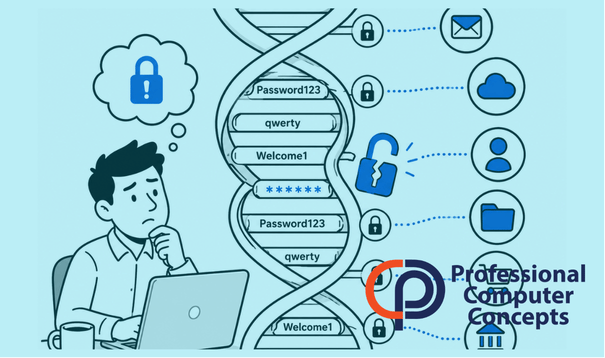
Password reuse occurs when someone uses the same password across multiple accounts.
For example, an employee might use the same password for:
- Personal email
- Online shopping
- Microsoft 365
- Business applications
If any one of those services experiences a breach, attackers can attempt the same credentials against the employee’s other accounts.
This creates a domino effect where a compromise in one location can lead to unauthorized access elsewhere.
Why Are Password Reuse Risks for Businesses So Serious?
Many business owners assume password reuse is primarily a personal security issue. In reality, it can create significant organizational risk.
Employees often use business email addresses to create accounts with third-party services, vendors, software subscriptions, and online platforms. If those credentials become exposed, attackers may attempt to access:
- Microsoft 365 accounts
- Cloud applications
- Financial systems
- Customer databases
- Remote access portals
A single compromised account can provide attackers with a foothold inside an organization.
Want more? Learn how to create a strong password.
Credential Theft Often Leads to Larger Attacks
Many ransomware incidents begin with stolen credentials.
Attackers who gain access to an email account can:
- Send phishing messages from a trusted address
- Reset passwords on connected systems
- Access sensitive documents
- Gather information for future attacks
The initial compromise may appear minor, but the downstream impact can be substantial.
Did You Know? According to Verizon’s 2025 Data Breach Investigations Report, stolen credentials remain one of the most common methods used by attackers to gain unauthorized access to systems. Source: Verizon DBIR.
How to Reduce Password Reuse Risks for Businesses
The good news is that password reuse is largely preventable.
Use Unique Passwords for Every Account
Every account should have its own password.
If one account is compromised, unique passwords help prevent attackers from using the same credentials elsewhere.
Implement a Password Manager
Password managers eliminate the need for employees to remember dozens of complex passwords.
Instead of reusing passwords, users can generate and store strong, unique credentials for every account.
Many organizations find that password managers improve both security and convenience.
Read more – Learn how password managers protect your accounts.
Enable Multifactor Authentication
Multifactor authentication (MFA) adds an additional layer of protection.
Even if a password is stolen, MFA can prevent attackers from accessing the account without the second verification factor.
For most businesses, MFA should be considered a minimum security requirement.
Monitor for Credential Exposure
Many cybersecurity platforms can monitor dark web marketplaces and breach databases for exposed credentials associated with company domains.
Early detection allows organizations to force password resets before attackers can take advantage of stolen credentials.
Why Small Businesses Are Often More Vulnerable
Large organizations typically have dedicated security teams, formal policies, and advanced monitoring tools.
Small businesses often rely on employees to make good security decisions without providing the necessary tools or training.
As a result, password reuse can become widespread without management realizing it.
The combination of reused passwords, limited security awareness training, and inconsistent MFA adoption creates opportunities for attackers.
How Managed IT Services Help Reduce Credential Risk
Managing password security across an entire organization can be challenging.
A managed IT provider can help businesses:
- Deploy password managers
- Enforce MFA policies
- Monitor for credential exposure
- Review account security settings
- Provide employee security awareness training
- Respond quickly to suspicious account activity
Read more in The Small Business Guide to Cybersecurity.
Learn how Managed IT Support Services can help strengthen account security and reduce cyber risk.
Explore our article on Building Cyber Resilience in an Unstable World.
Frequently Asked Questions
What is credential stuffing?
Credential stuffing is an automated attack where cybercriminals use usernames and passwords obtained from previous breaches to attempt logins on other websites and services.
Is multifactor authentication enough by itself?
No. MFA significantly improves security, but it should be combined with strong, unique passwords and ongoing monitoring.
Should employees use password managers?
Yes. Password managers make it easier to create and maintain unique passwords for every account.
How often should passwords be changed?
Organizations should prioritize strong, unique passwords and MFA. Password changes should occur when there is evidence of compromise, policy requirements, or significant risk exposure.
How can businesses determine if employee credentials have been exposed?
Security monitoring tools and dark web monitoring services can identify exposed credentials associated with company email domains.
What are password reuse risks for businesses?
Password reuse risks for businesses occur when employees use the same password across multiple accounts. If one account is compromised through a breach, attackers may be able to access business systems, email accounts, cloud applications, and sensitive company data using the same credentials.
About Professional Computer Concepts
Professional Computer Concepts (PCC) is a trusted Managed IT and Cybersecurity provider serving the Bay Area for over 20 years. We help small and midsize businesses simplify their IT, strengthen security, and modernize operations.
Explore our services:
Managed IT Services | Cybersecurity | Cloud Solutions
From PCC’s Desk
The 23andMe incident demonstrates that cybersecurity failures do not always begin with sophisticated attacks. Sometimes they start with a password that was reused years ago and forgotten. Taking simple steps such as implementing password managers, enabling MFA, and monitoring for exposed credentials can significantly reduce risk.
If you’d like help evaluating your organization’s password security practices, Contact Us to start the conversation.