
Cybersecurity doesn’t have to be complicated. In fact, many breaches happen because basic steps were overlooked. For small and mid-sized businesses, the right habits make all the difference in preventing costly downtime and protecting sensitive data. Here are the 3 top cybersecurity tips that deliver immediate results.
TL;DR The top cybersecurity tips for small businesses start with strong basics: use multi-factor authentication, recognize phishing, and keep your software updated. These simple actions prevent most data breaches and protect your business from cyber threats.
1. Use Multi-Factor Authentication (MFA)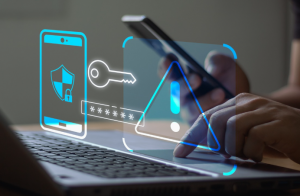
Multi-factor authentication, or MFA, is one of the simplest yet most effective ways to secure your accounts. It adds a second layer of protection beyond your password, usually through a text message, authentication app, or security key. Even if someone steals your password, they still can’t access your account without that second factor.
Every business should enable MFA on critical accounts—email, banking, Microsoft 365, and any system that holds client or financial data. It’s a low-cost, high-impact step toward securing your business environment.
Did You Know? According to Microsoft, MFA can block over 99.9% of account compromise attacks. [Source: Microsoft Security]
Read more in What is Multi-Factor Authentication (MFA) and Why It Matters and the Power of Multi-Factor Authentication (MFA): Your Ultimate Q&A Guide.
2. Recognize and Report Phishing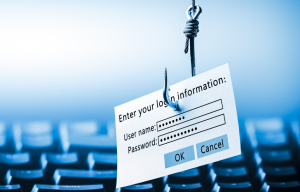
Phishing remains the most common entry point for cybercriminals. Attackers send realistic-looking emails or text messages to trick employees into clicking links, downloading files, or revealing credentials. Once inside, they can install malware, steal data, or impersonate your business.
The best defense is awareness. Train your team to verify sender identities—especially for messages involving payments or password resets. If something feels off, don’t click. Report it to your IT provider or security team immediately.
Read more in How to Easily Spot Phishing Attempts and Phishing Simulation: What It Is and Why It Works.
3. Keep Software Updated
Outdated software is one of the easiest ways for cybercriminals to exploit vulnerabilities. Regular updates close those gaps before attackers can take advantage. This includes your operating system, browsers, and all applications used in daily operations.
Whenever possible, enable automatic updates. Doing so ensures your systems stay secure without relying on manual checks. If your business uses specialized or legacy software, coordinate with your IT provider to manage updates safely and avoid compatibility issues.
Learn more in Smart Computer Security Tips Every Small Business Should Know.
Final Thoughts
Cybersecurity doesn’t require expensive tools to start making a difference. Small, consistent actions—like enabling MFA, staying alert to phishing, and keeping your software current—form the foundation of strong protection.
About Professional Computer Concepts
Professional Computer Concepts (PCC) is a trusted Managed IT and Cybersecurity provider serving the Bay Area for over 20 years. We help small and midsize businesses simplify their IT, strengthen security, and modernize operations. Explore our services:
From PCC’s Desk
Staying secure starts with everyday habits. When your team understands these essentials, your business becomes much harder to compromise. If you’d like to strengthen your cybersecurity foundation, let’s talk.