

Passwords unlock our digital lives. We use them to access email, bank accounts, shopping sites, and more. But remembering all of them is hard. That’s where password managers come in—they help keep your accounts safe and make your life easier.
What Is a Password Manager?
A password manager stores all your passwords in one secure place. Think of it as a digital safe for your login information. You only need to remember one password—your master password. That single password unlocks access to all the others.
Types of Password Managers
Password managers, also known as credential managers, come in a few different forms:
-
Apps you download on your phone or computer
-
Browser extensions
-
Some offer both options
Regardless of format, password managers encrypt your data. When you save a password, it gets scrambled using strong encryption, making it unreadable to hackers or anyone else without your master password.
Why Use a Password Manager?
 It Helps You Create Strong Passwords
Most people use simple, easy-to-remember passwords—but those are also easy to guess. Credential managers can generate long, random passwords that are much harder to crack.
Read a related article and learn what it really means to use a strong password.
It Remembers Your Passwords
You don’t have to memorize every login anymore. The password vault of your credential manager remembers them for you, letting you use strong, unique passwords for each account.
It Keeps Your Passwords Safe
Password managers use high-level encryption to secure your data. Even if the company is hacked, your passwords stay protected because they’re encrypted.
Features of a Password Manager
Password Generation
Good managers generate strong, unique passwords using a mix of letters, numbers, and symbols.
Auto-Fill
Many tools automatically fill in your login information, saving time and reducing typos.
Secure Notes
Some credential managers also let you store sensitive information like credit card numbers or secure documents.
Password Sharing
You can securely share passwords with family or coworkers—great for joint accounts or team logins.
Are Password Managers Safe?
Yes—when used correctly. They encrypt your data so that even if hackers access the system, they can’t read your information. Still, no system is perfect. Choose a manager with a strong reputation and regular security updates.
How to Choose a Password Manager
When picking a password manager, look for:
Security Features
Strong encryption and two-factor authentication (2FA) are essential.
Ease of Use
Choose a tool that’s simple and intuitive for you to use.
Device Compatibility
Make sure it works across your devices—phone, tablet, and computer.
Price
Free versions offer basic features, while paid ones unlock more functionality. Choose what fits your needs and budget.
Tips for Using a Credential Manager Safely
-
Create a strong master password
-
Enable two-factor authentication
-
Never share your master password
-
Keep your software up to date
-
Avoid using credential managers on shared or public computers
-
Always log out when finished
What If You Forget Your Master Password?
Forgetting your master password can lock you out of everything. Most password managers don’t store it (for security reasons), but many offer recovery options like security questions or backup keys. Understand your options before you need them.
Can Password Managers Be Hacked?
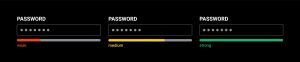
While rare, credential managers can be targeted. The real risk often comes from user mistakes—weak master passwords or falling for phishing scams. Follow best practices to stay safe.
How Do Credential Managers Compare to Browser Password Saving?
Browser-based password saving is convenient but not as secure. Here’s why dedicated password managers are better:
-
Stronger encryption
-
More features
-
Work across all devices and browsers
-
Safer if your computer is compromised
Are Free Password Managers Enough?
Free versions can be a great starting point. They offer core features like password storage and basic generation tools. Paid options usually include:
-
Multi-device sync
-
Secure file storage
-
More advanced features
-
Customer support
For many users, a free version works just fine. Consider upgrading if your needs grow.
What About Built-In Phone Password Managers?
Most smartphones come with a built-in credential manager. These are fine for basic use, but they may have limitations:
-
Fewer features
-
May not work across different device types
-
May offer weaker security compared to standalone tools
For more control and advanced features, a dedicated password manager is a better choice.
How Do Password Managers Handle Data Breaches?
Top credential managers offer helpful tools in the event of a breach:
-
Alerts if a site you use is compromised
-
Checks to see if your passwords have leaked
-
Easy options to change affected passwords quickly
These features help you act fast if your data is ever at risk.
Do Password Managers Work Offline?
Many do. They store an encrypted copy of your data on your device, so you can access your passwords even without internet access. However, syncing updates across devices usually requires a connection.
 How Often Should You Change Your Passwords?
The old advice was to change passwords regularly. Now, experts say strong, unique passwords are more important. Change them only if you believe they’ve been compromised. Managers can help track and update passwords easily.
What’s the Future of Password Managers?
Password managers continue to evolve. Future trends include:
-
Passwordless logins using biometrics
-
Better integration with other security tools
-
Secure password sharing without revealing the actual password
-
Enhanced use of facial recognition and fingerprints
As threats grow, managers will keep adapting to stay ahead.
Secure Your Digital Life Today
Password managers are one of the simplest, most effective ways to boost your online security. They make it easy to use strong, unique passwords for every account, helping protect you from cyber threats.
Ready to get started? If you need help choosing or setting up a credential manager, reach out. We’re here to help make your digital life safer. Let’s talk.
How Professional Computer Concepts Can Help
At Professional Computer Concepts, we don’t just provide IT support. We help businesses take control of their technology, security, and growth. As a trusted Managed IT and Cybersecurity provider serving the Bay Area for over 20 years, we specialize in proactive IT management, cybersecurity, and cloud solutions for small to mid-sized businesses (SMBs).
We take a comprehensive approach to protecting businesses, offering:
- Advanced Cybersecurity Solutions – Protecting your business from cyber threats before they happen
- 24/7 IT Support & Monitoring – Keeping your technology running smoothly, day and night
- Cloud Computing & Remote Work Solutions – Helping businesses stay connected and productive
- Strategic IT Consulting (vCIO Services) – Ensuring your technology supports your long-term business goals
If you’re a business owner looking to strengthen your cybersecurity, reduce IT headaches, and improve efficiency, we’re here to help.
Let’s Talk! Contact us today to learn how Professional Computer Concepts can help your business stay secure, productive, and ready for the future.